
What is free in Datella, and when you pay
Datella does not wall its features off. The checklist, budget, calendar, guests and RSVP, the invitation, and door check-in all work without paying — what is limited is capacity and a couple of extras. This page maps how far free goes, and the moment people usually decide to pay.
Prerequisites
- A Datella account (free, no card)
- Optional: open /pricing for the full price list
Every core tool is free
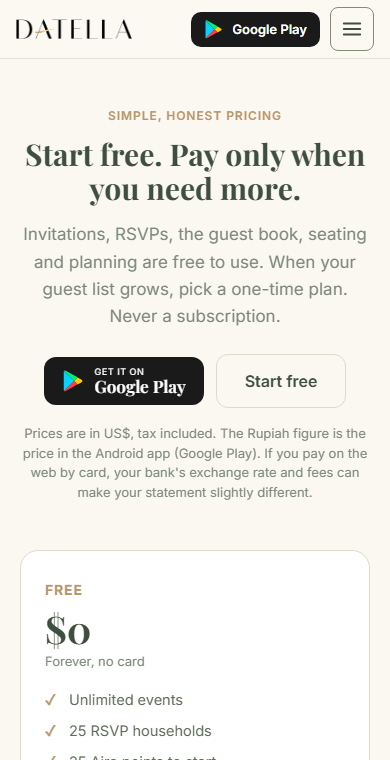
The free plan covers the whole flow: creating the event, checklist and subtasks, budget, calendar and reminders, the guest list with RSVP, the full invitation editor with themes, gallery, and music, plus QR cards and the door check-in console on the day. The capacity numbers: 1 event, 10 RSVP entries, 15 planning items (shared by checklist, budget, and shortlist), 50 MB of file storage, and 5 gallery photos per event; collaborators come with a paid plan or the +5 add-on. The "Free" card on the /pricing page says it with the tagline "Forever, no card".
A limit means capacity, not a dead feature
Hitting a limit locks nothing. An extra RSVP gets declined until there is room, and that is all that happens — a live invitation stays live, guests keep answering, everything stays openable and exportable. The app's own words on the upgrade page: "When capacity runs out nothing is deleted; you just can't add new items."
Your data at the limit, and after a year
Two promises worth knowing. First, your data is not deleted when you hit a limit — for at least the next year you simply cannot add more until you upgrade. Second, purchased capacity lasts one year from purchase, but its contents do not expire with it: Aira points and email credits never expire, and a claimed subdomain is yours forever. Plans also stack when you need more room.
When people usually pay
The common triggers: a guest list passing 10 RSVP entries (even a small wedding gets there quickly), a second event (the free plan includes 1), a team bigger than one — bringing in a partner, family, or an organizer as collaborators takes a paid plan — and Aira points running low from chats and translations. Beyond those sit two single add-ons: the RSVP embed for a personal website and your own subdomain for the invitation address. The full price list lives at /pricing, not here.
Helping someone else's event? Their plan applies
If you join someone else's event as a co-planner, you are not spending your own quota. The plan page says it plainly: "Capacity for events you own. Events you help plan use that owner's plan." Helping your sibling run their reception does not eat your planning items or RSVP entries.
Common questions
Is my data deleted if I do not upgrade?
No. When capacity runs out, nothing is deleted — for at least the next year you simply cannot add new items until there is room. An invitation that is already published stays published.
How many guests are free?
10 RSVP entries — counted per submission or household that answers, not per person. Family members inside one submission do not spend separate quota.
What happens to my data a year after I buy capacity?
Nothing is deleted, and the non-expiring parts stay safe: Aira points and email credits never expire, and a claimed subdomain stays live forever. Only the capacity stops growing when its term ends.
I am a co-planner on my sibling's event — does it use my quota?
No. Events you help manage use their owner's plan — your checklist, RSVP, and collaborator quota stay intact for your own events.
Try Datella free — sign up in under a minute.
Start free